1.0.1
Nov 14, 2026
Latest- Fixed: the configuration section was hidden at website and store view scope, so the "Storefront" switches could only be changed globally. They can now be set per website and per store view (licence and General stay global).

by Kavio Labs · for Magento Open Source 2.4.8
Show the manufacturer, the EU responsible person, warnings, the official EU legal guarantee notice and the GARAN badge on Magento product pages and at checkout.
Show the manufacturer, the EU responsible person, warnings, the official EU legal guarantee notice and the GARAN badge on Magento product pages and at checkout.
EU shops are expected to show who made a product, who the EU contact is, and, since 27 September 2026, to remind consumers of the legal guarantee. Magento Open Source has no place for this: product pages carry no manufacturer address, no EU responsible person and no guarantee notice. GPSR Product Safety & EU Guarantee Labels adds them in a consistent way, without editing every product by hand. It helps you display the information; it gives no legal advice.
GPSR Product Safety & EU Guarantee Labels for Magento works with Magento Open Source 2.4.8 (tested on 2.4.8-p5, PHP 8.3).
We list the builds we install and test on. “Tested” means the test plan ran on that build; “Supported” means the build is inside the supported range.
| Version | Range | Runs on | Status |
|---|---|---|---|
| Magento 2.4.8 | Open Source 2.4.8-p5 | PHP 8.3 | Tested on 2.4.8-p5 |
| Editions | Magento Open Source | app/code (zip) or Composer | Self-hosted |
The Documentation tab covers the settings and every screen.
Magento Open Source 2.4.8 (tested on 2.4.8-p5, PHP 8.3). Tested on Magento 2.4.8. The Compatibility tab lists every version range.
Yes. Every Magento module on this site is on sale: one-time price per production store, staging and development domains included, 12 months of updates and support.
Each product page says what was tested. Admin-only modules do not depend on the storefront theme; modules that change the storefront name the tested theme (Luma) on their Compatibility tab.
One license per production store domain, with staging and development domains included. 12 months of updates and support; after that the module keeps working.
Yes. Kavio Labs sells add-ons and plugins for CS-Cart, OpenCart, WooCommerce, PrestaShop and Shopware, with the same license portal and support desk.
One production store domain with every subdomain (www, shop., staging.), plus local development hosts such as localhost, *.local and *.test. A store on another domain needs its own license; a second-store license is 40% off. You have 14 days after installing to enter the key. 12 months of updates and support are included; after that the module keeps working and renewals are 50% off. How licensing works
Yes. Ask for a full refund within 30 days of your first purchase, no reason needed: open a ticket or write to [email protected] with your order number. The money goes back to the card or bank account you paid with within 5 business days of approval. Refund policy
Open a ticket from your account, so your license details are attached. We answer with a same-day reply on weekdays (Mon-Fri 09:00-18:00 UTC+3). Support policy. Not a customer yet? Ask a pre-sales question.
9 more answers about setup and daily use in the Documentation tab.
Show the information EU product pages are expected to carry: the manufacturer and the EU responsible person, product identifiers and warnings (GPSR, Regulation (EU) 2023/988, Article 19), the harmonised EU legal guarantee notice and the GARAN producer guarantee badge (Regulation (EU) 2025/1960).
The module helps you display this information in a consistent way. It does not give legal advice and does not decide which information your products need.
Tested on Magento Open Source 2.4.8 (PHP 8.3) with the Luma storefront. Compatibility with other versions or themes is listed only after it has been tested. Not for SaaS editions that cannot run PHP modules.
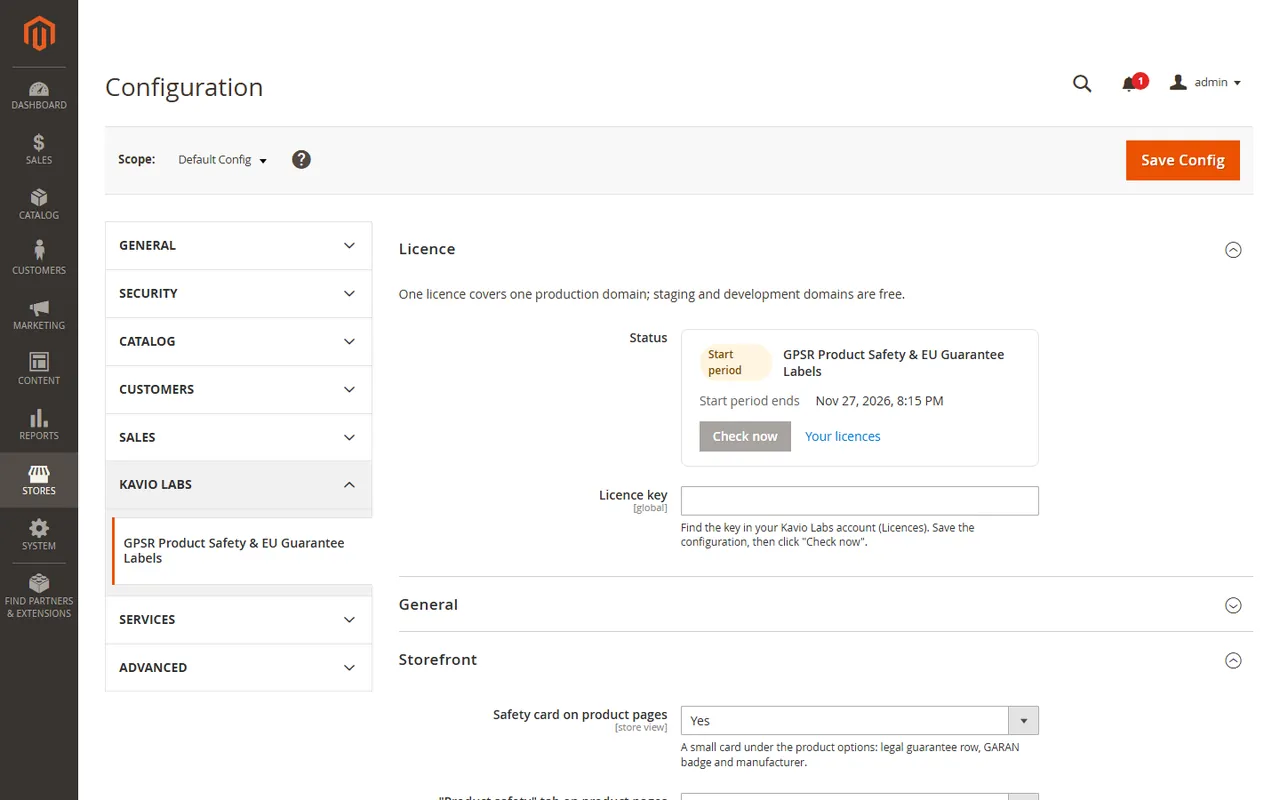
composer require kaviolabs/module-gpsr.bin/magento module:enable KavioLabs_Gpsr, bin/magento setup:upgrade and, in production mode, bin/magento setup:di:compile and bin/magento setup:static-content:deploy.app/code/KavioLabs/Gpsr/ (the folder holds registration.php).bin/magento commands as above.bin/magento module:disable KavioLabs_Gpsr (then delete the folder or composer remove the package and run setup:upgrade). Manufacturers, product data and the uploaded notice images stay.bin/magento module:uninstall KavioLabs_Gpsr --remove-data; zip install bin/magento module:uninstall KavioLabs_Gpsr --non-composer, then module:disable, delete the folder and run setup:upgrade. This drops the tables, settings and licence state. The uploaded notice images in pub/media/kv_gpsr/ are files: delete that folder yourself if you do not need them.Open Stores > Configuration > Kavio Labs > GPSR Product Safety & EU Guarantee Labels.
Without a verified key the module works for a start period; afterwards the storefront output is off. The Admin pages and your data always stay available.
After a change of a manufacturer, a brand link or a notice image the module marks the full page cache invalid. Refresh it under System > Cache Management.
Open Catalog > GPSR Manufacturers and click Add manufacturer. Enter the trade name and the postal and e-mail address (or website). If the manufacturer is established outside the EU, tick Established outside the EU and enter the EU responsible person. Tick Default manufacturer for the one that applies when nothing else does. Choose the Brands that belong to the manufacturer.
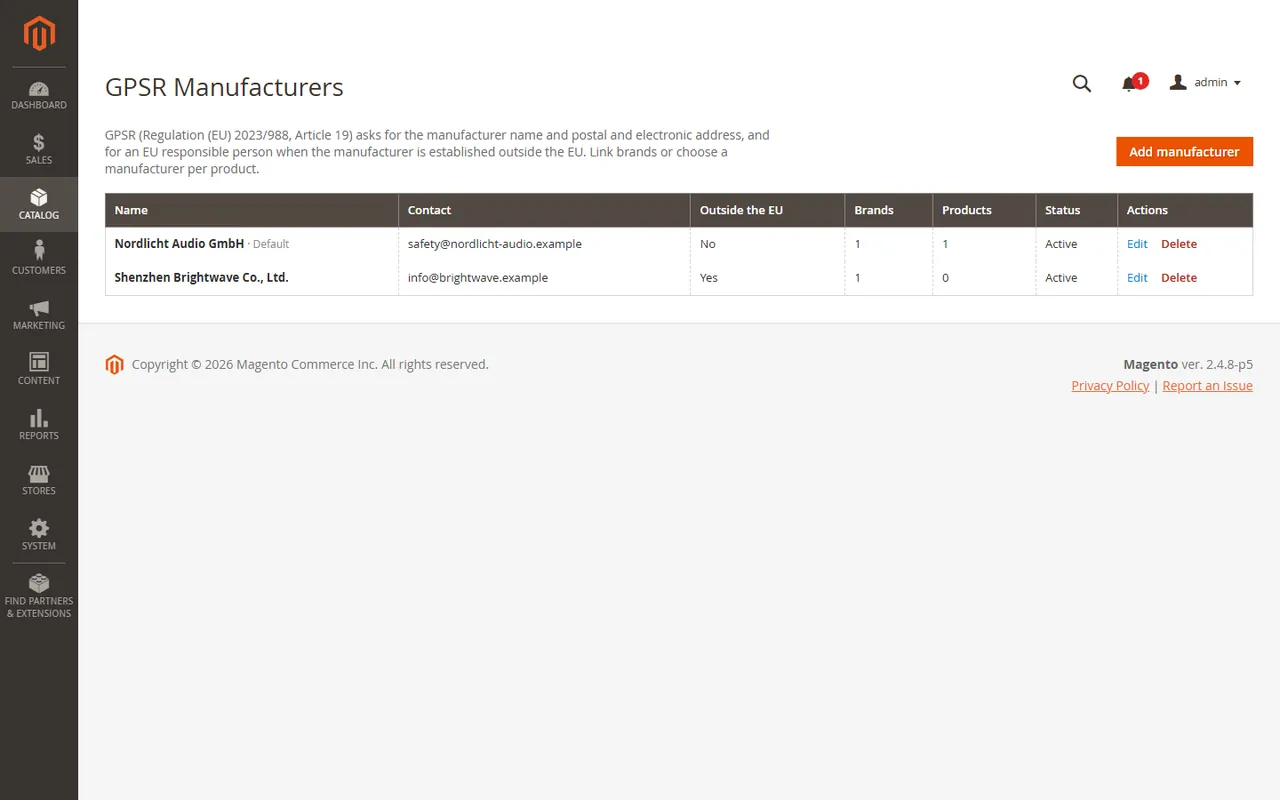
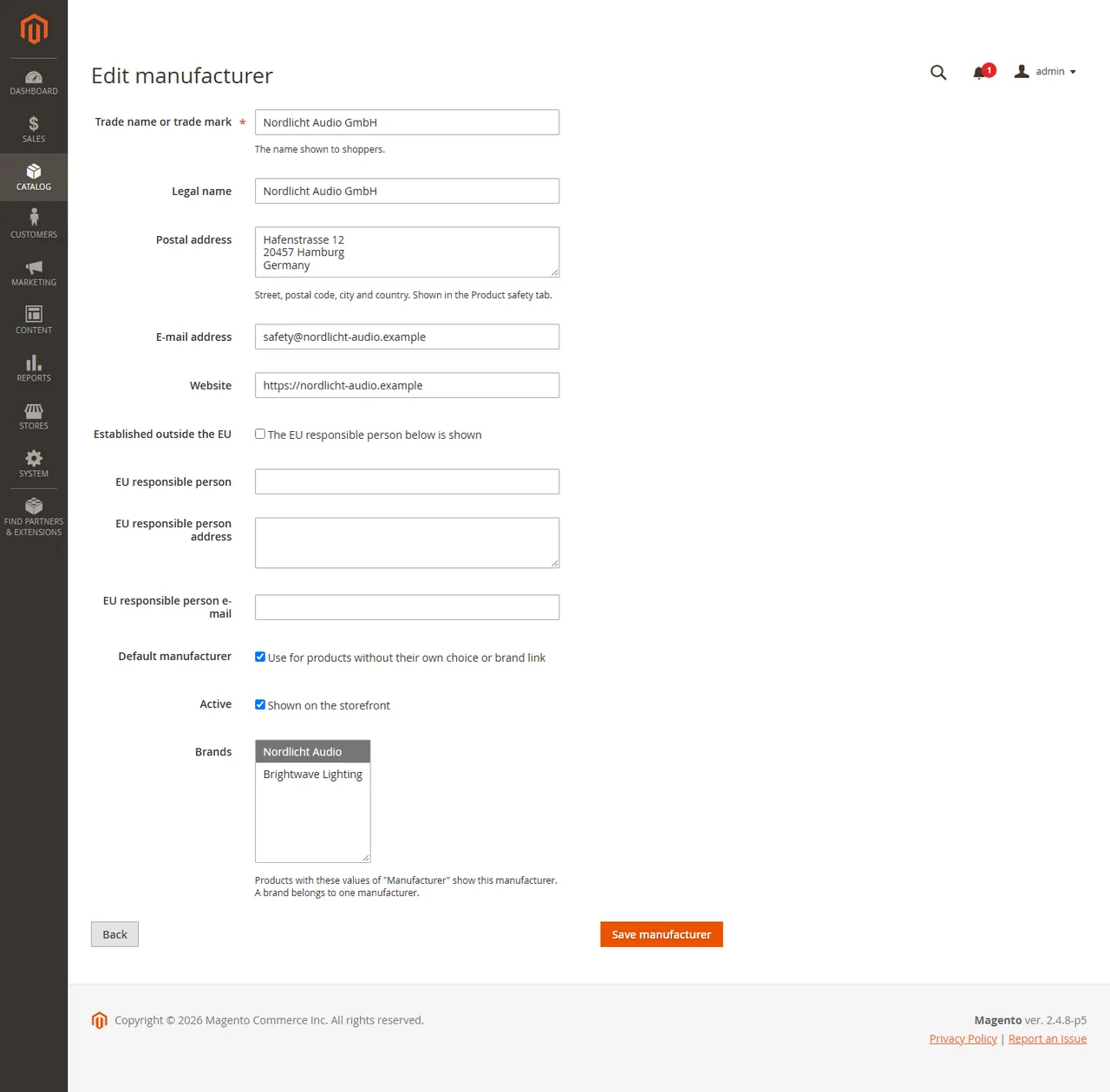
A manufacturer with missing details is marked in the list. A brand belongs to one manufacturer.
Which manufacturer a product shows: its own choice on the product form, else the manufacturer linked to its brand, else the default manufacturer.
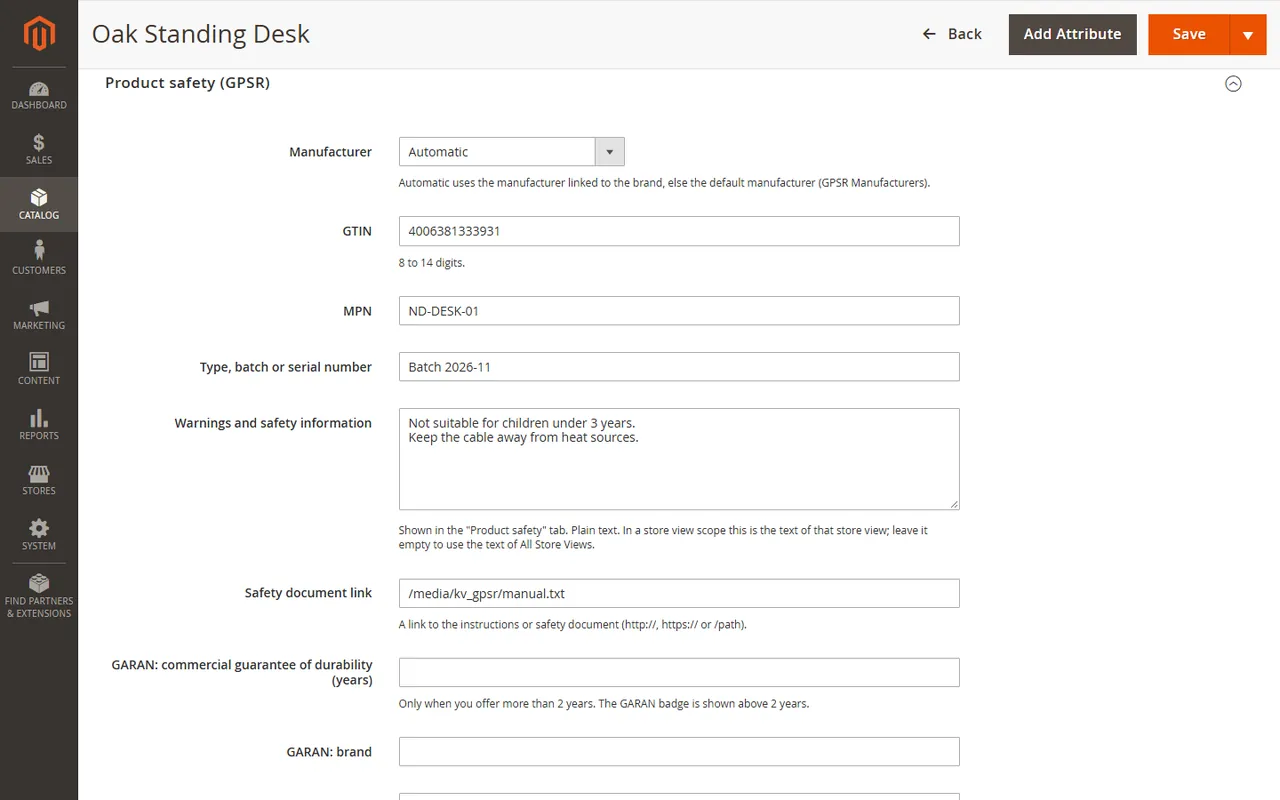
On the product form open Product safety (GPSR): choose a manufacturer (or leave Automatic), enter GTIN, MPN, type or batch, the warnings (plain text, per store view) and a link to the safety document. For a producer guarantee of more than 2 years enter the years, brand, model and the link of the GARAN label image you made from the official EU template (export it as PNG or WebP and upload it to your media storage).
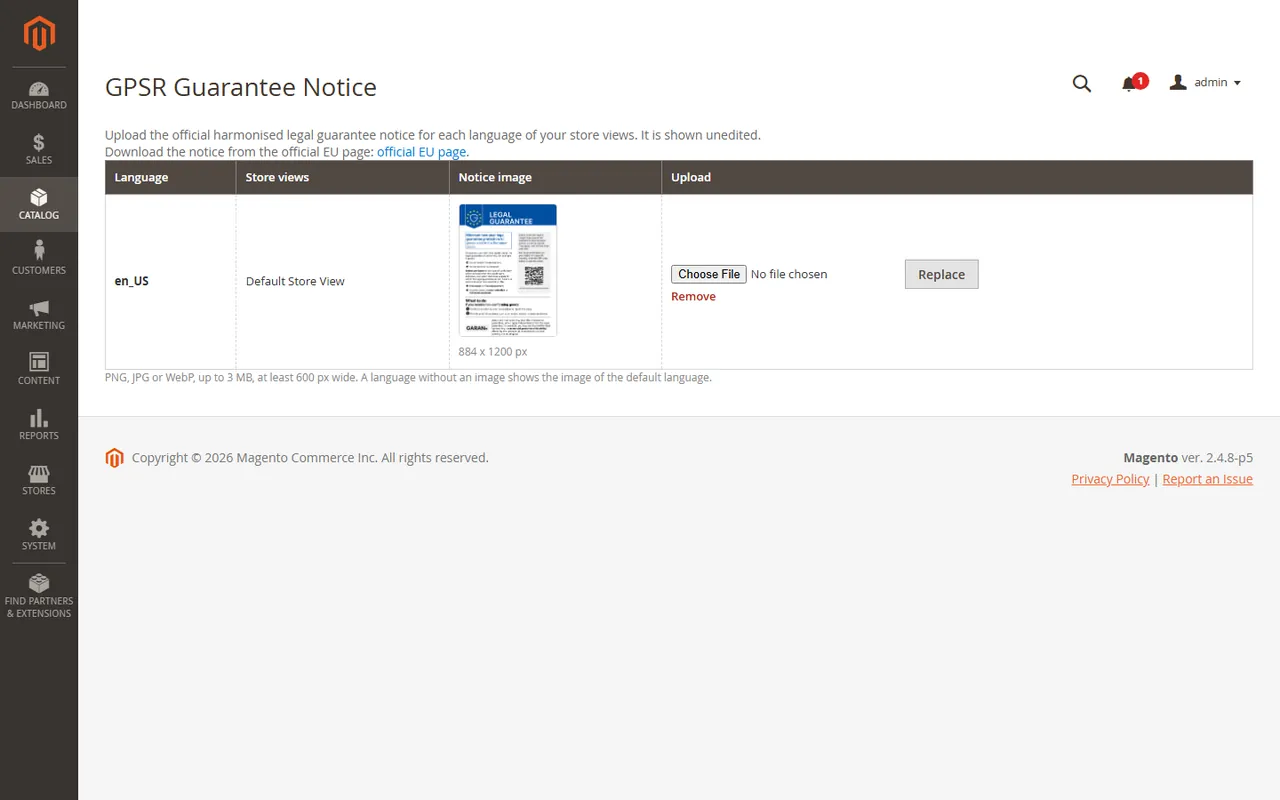
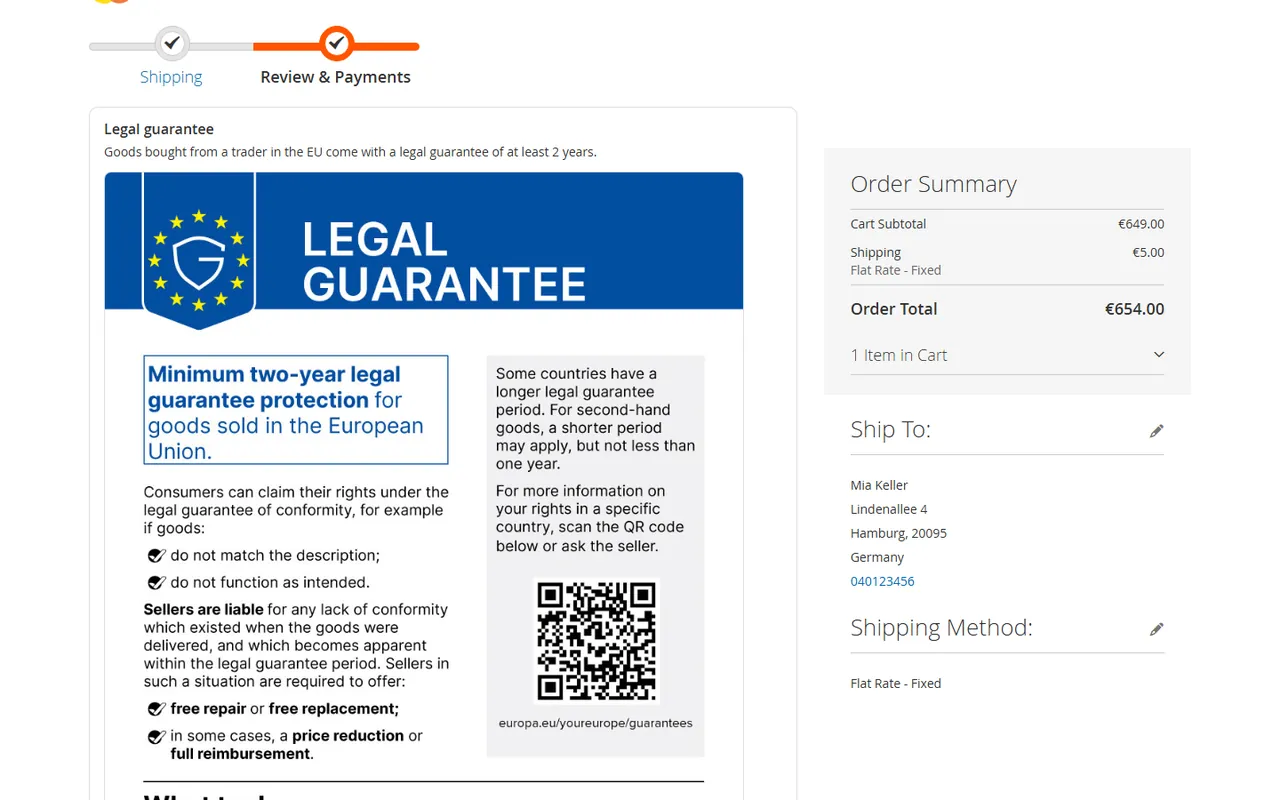
Open Catalog > GPSR Guarantee Notice. Download the harmonised notice from the official EU page and upload it for each language of your store views. The EU publishes it as vector files: export the notice of each language in colour as PNG, JPG or WebP (at least 600 px wide, up to 3 MB). The image is shown unedited. A language without an image shows the image of the default language, so upload one for every language you sell in.
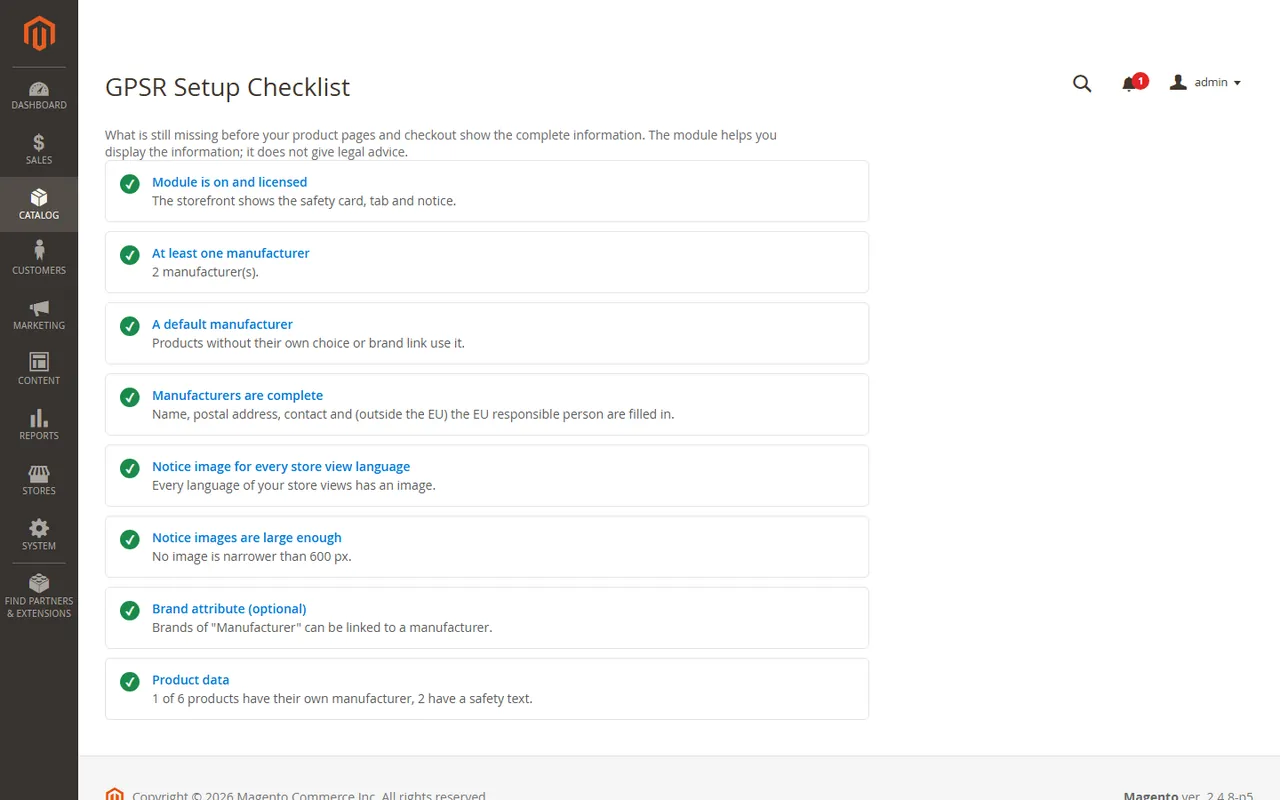
Catalog > GPSR Setup Checklist lists what is missing: licence, manufacturers, a default manufacturer, incomplete manufacturers, notice images per language, the brand attribute.
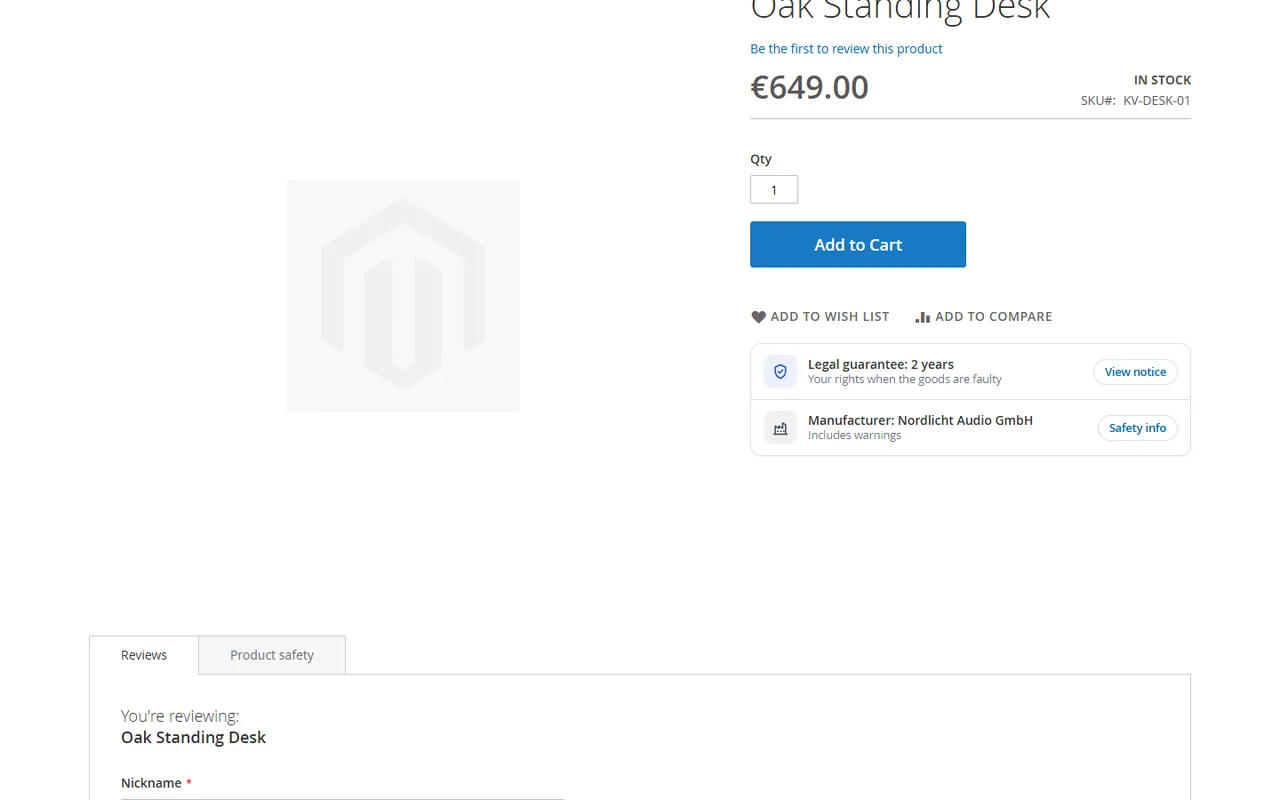
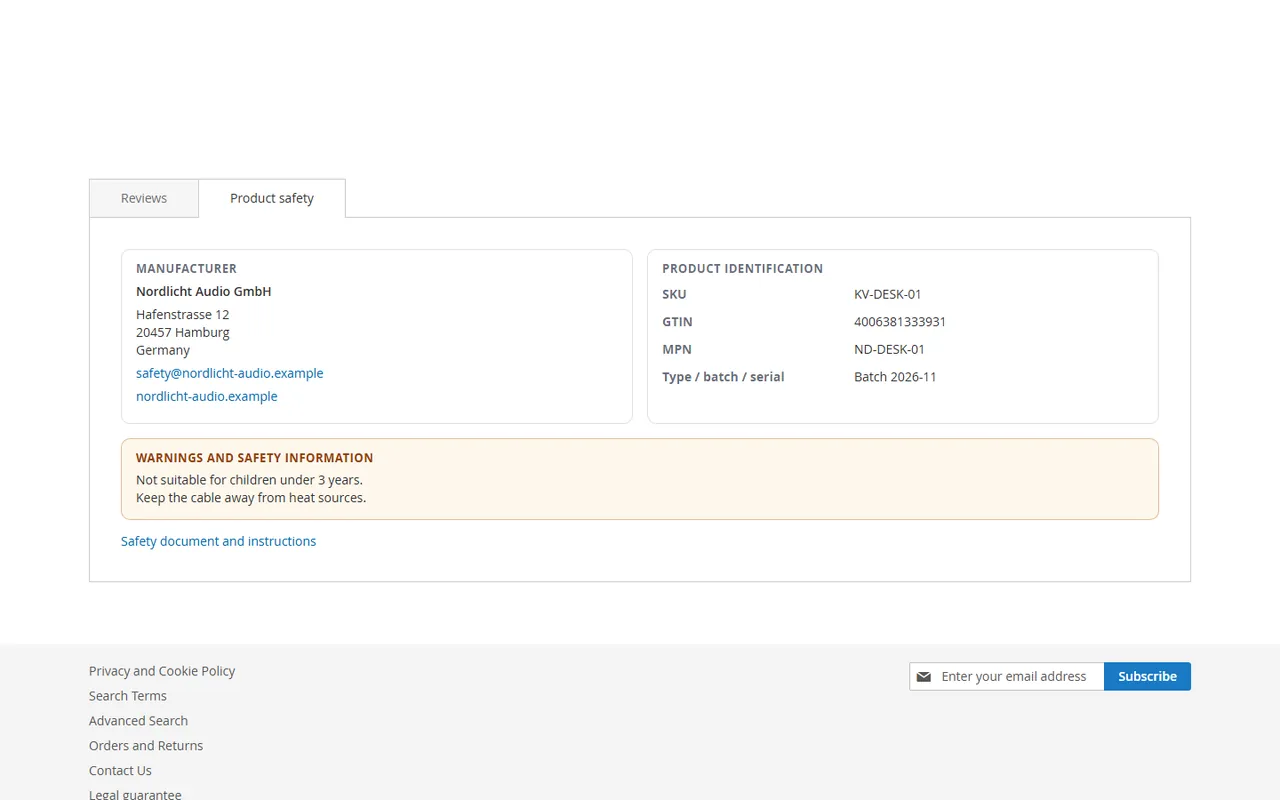
The product page shows a card under the product options and a Product safety tab.
The checkout shows the notice above the payment methods, and the footer links to the Legal guarantee page.
No. It helps you display the information; what your products and your shop must show depends on your products and your situation. The module gives no legal advice.
From the official EU page (linked on the Guarantee Notice screen). You upload the image for each language; the module shows it unedited. It does not generate the notice.
The EU label for a producer's commercial guarantee of durability of more than two years. You make the label from the official editable template (the EU publishes it as vector files in every EU language), enter the years, brand and model on the product and add the image link. The badge shows the label on hover or focus.
No. Without one, products use their own manufacturer choice or the default manufacturer. With a dropdown attribute chosen as the brand you link brands to manufacturers once instead of editing products.
It was tested with the Luma storefront. The product card and tab are server-rendered; the checkout notice is a Knockout component of the Magento checkout. Other themes and checkouts are not listed as tested.
It was built and tested on Magento Open Source. Adobe Commerce is not listed as tested. SaaS editions that cannot run PHP modules are not supported.
No. The store reads the stored result; the server is asked only from the Admin or once a day by cron after a key was entered.
The brand attribute (set in the configuration) must belong to the attribute set of the product. Magento only loads an attribute that is in the product's set: open Stores > Attributes > Product Set, add the attribute to the set and save the product's brand again if needed.
Buy with confidence
This product was tested on this build. Builds we did not test are not listed.
Updates and support are included in the price. The product keeps working afterwards; renewing is optional.
How licensing worksIf it is not what you expected, tell us within 30 days and we refund the order.
Refund policyPay by card, Apple Pay or Google Pay on Stripe's secure page. Your card number never reaches our server.
Ask a pre-sales questionSold by Kavio Labs Software Limited, registered in England and Wales No. 17532441. About us
More for Magento

XRechnung (UBL and CII) and Peppol BIS Billing 3.0 from Magento invoices and credit memos: Leitweg-ID, buyer VAT ID, EU VAT categories, validated before you send.

Sell by the metre, square metre, kilogram or litre: customers enter 2.35 m, the line total is rounded once and the unit shows in cart, orders and e-mails.

Upload one CSV or XLSX file with the day's tracking numbers: check the plan, then Magento creates every shipment. No e-mail unless you allow it.


